Endpoint Security Policy
Classification: Internal
Document status: Effective
Version: 1.1
Owner: Management / Security Owner
Review cycle: Annual; interim revision upon material change to endpoint platforms, EDR, or customer mandates
Document control
| Role | Name |
|---|---|
| Prepared by | Management / Security Owner (Cloudnaut) |
| Reviewed by | Nidhi Jain (third-party reviewer) |
| Approved by | Sandeep AC |
Revision history
| Version | Date | Summary | Reviewed by | Approved by |
|---|---|---|---|---|
| 0.9 | 2021-03-14 | Draft for third-party review prior to first effective release. | Nidhi Jain (third party) | — |
| 1.0 | 2021-06-18 | Initial effective release. | Nidhi Jain (third party) | Sandeep AC |
| 1.0 | 2024-03-11 | Scheduled annual review; clarifications and cross-references (retained at version 1.0). | Nidhi Jain (third party) | Sandeep AC |
| 1.1 | 2025-11-26 | Operational monitoring and remediation table; AES-256 and ESET disclosure alignment. | Nidhi Jain (third party) | Sandeep AC |
Purpose
This policy defines security requirements for endpoints used to access company systems, customer systems, customer repositories, or customer data.
Scope
This policy applies to laptops, desktops, virtual machines, and comparable devices used by employees, contractors, and subcontractors for company or customer work.
Standard configuration
Endpoints used for customer work meet the following requirements:
- Full disk encryption enabled (AES-256-equivalent or stronger as specified under Platforms).
- Anti-malware installed and configured for automatic updates where the platform supports it.
- Host-based firewall enabled and configured for the engagement context.
- Operating system patching in line with the Patch Management Policy.
- Interactive session lock and strong authentication.
- Administrative privilege limited to those with a documented business need.
- Customer credentials and secrets stored only in approved secure mechanisms.
Platforms
Engineering staff use Linux for professional development work. Linux endpoints used for customer work use LUKS full-disk encryption using at least AES-256-equivalent key strength as implemented by distribution-supported LUKS defaults for the device (for example XTS-AES with a 256-bit effective key configuration where applicable).
QA staff may use Windows where required for test coverage. Windows endpoints used for customer work use BitLocker (or equivalent full-disk encryption approved by management) with AES-256 (or the strongest option the edition supports) before customer repository, system, or data access is granted.
Anti-malware
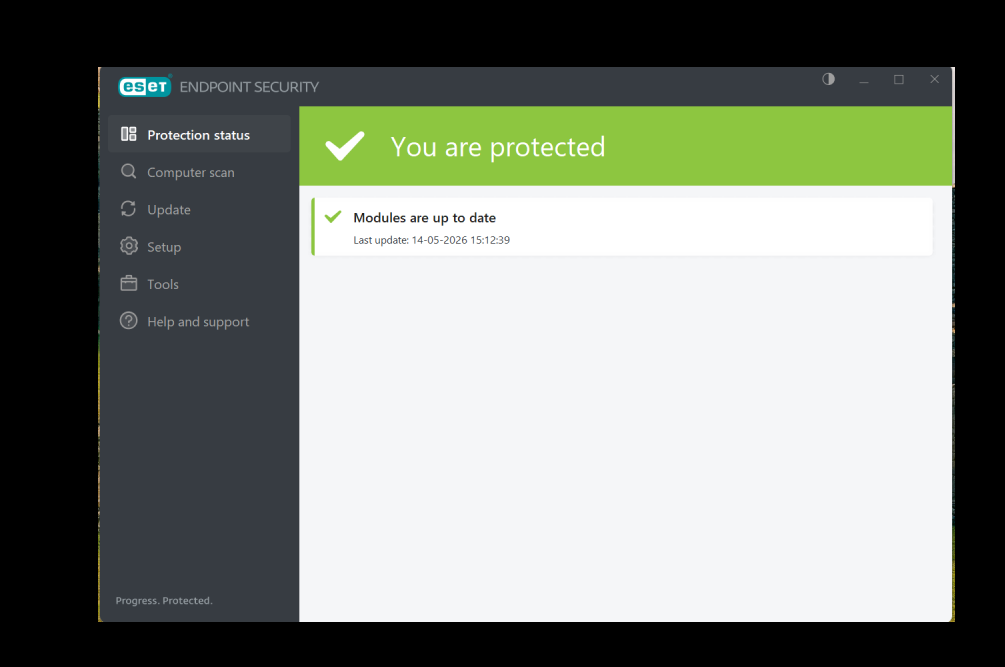
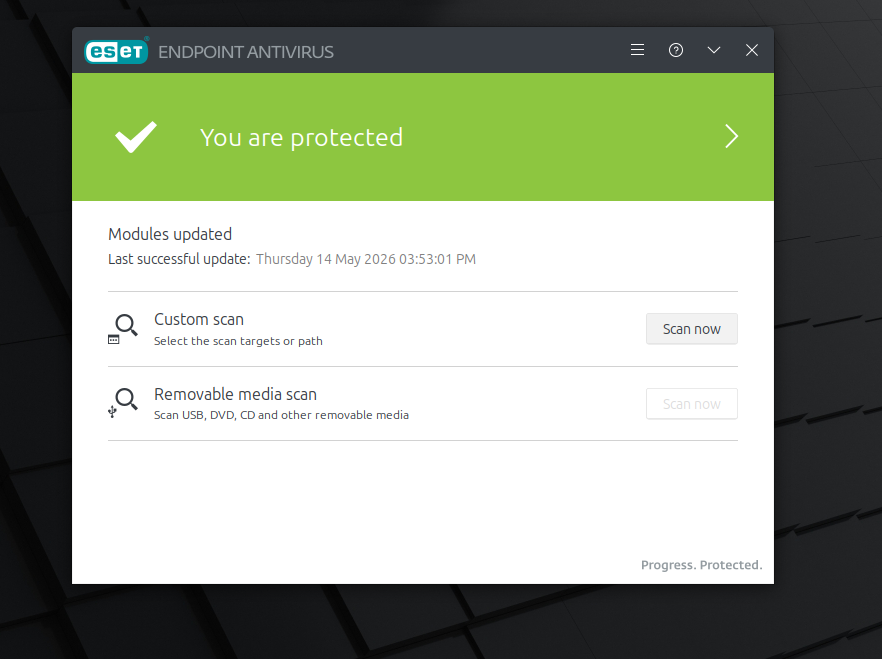
ESET is the standard endpoint protection suite where supported on the endpoint platform. Signature and protection module updates are applied automatically where the product allows. We are at the "ESET PROTECT Entry" tier.
The subscribed ESET product edition and licensed tier are recorded in the internal endpoint security standard or asset register and are disclosed to authorized reviewers on request (so questionnaire answers can name the exact product line without publishing SKU details in the public policy site).
Host firewall
Host firewalls are mandatory on customer-work endpoints. Linux systems use the distribution-supported mechanism (for example ufw, firewalld, or nftables). Windows systems use Windows Defender Firewall or an equivalent approved configuration.
Monitoring and remediation
This section answers what is observed, with which tools or interfaces, how often, and what remediation steps apply. Monitoring is not a narrative claim; it is a repeatable set of checks the device owner (or assigned engineer) can perform and evidence with output or screenshots.
Cadence and responsibility
| When | What happens |
|---|---|
| Ongoing | ESET and OS vendors provide automatic signature, module, and OS updates where configured; the human checks below confirm that automation is actually healthy—not “set and forgotten.” |
| At least monthly | Assigned user runs the full check row in the table below (or equivalent documented export) for any endpoint used that month for customer work. |
| Before first access to a new customer repository, production-adjacent system, or elevated role | Same full check row; attach evidence to the engagement access or onboarding record if the customer requires it. |
| Within five business days (sooner if feasible) | Re-run checks after major OS upgrade, disk reimage, or security product reinstall. |
Who: the primary user of the endpoint runs checks on their own machine unless management assigns a collection window for audit sampling.
What we monitor, how we check it, and how we fix it
The table is the operational baseline. Commands are examples for common distributions; use the distribution’s supported equivalent if a command differs.
| Control | What you are proving (signal) | How you check (tool / command / UI) | If the check fails (remediation) |
|---|---|---|---|
| Anti-malware (ESET) | Real-time protection on; engine and modules current; last update succeeded | GUI: ESET Advanced setup → Tools → Diagnostics or main dashboard protection status and last successful update time. CLI (where product provides it): use the vendor’s documented status command for the installed edition (Linux/Windows) and capture text output. | Run Update from the ESET UI; reboot if required; if still failing, reinstall or repair the agent from the approved package source; if the product cannot be restored before needed customer work, do not use the device for customer access until replaced or excepted in writing by management. |
| Full-disk encryption (Linux) | LUKS mapper active; cipher meets policy | sudo cryptsetup status <device_mapper> (example mapper name from lsblk such as cryptroot or luks-*). Confirm cipher line shows at least AES-256-equivalent configuration. lsblk -f shows crypto mount in use. |
Re-enable encryption per distro guide; if disk was inadvertently decrypted, stop customer work until LUKS is restored and verified; escalate to management. |
| Full-disk encryption (Windows) | BitLocker On for OS volume | GUI: Control Panel or Settings Manage BitLocker showing BitLocker on. CLI (elevated): manage-bde -status — Conversion Status: Fully Encrypted, Protection On: On. |
Turn BitLocker on using the customer-approved procedure; obtain management approval if TPM or recovery key policy is non-standard; no customer repo access until Protection On. |
| Host firewall (Linux) | Firewall active; default deny or engagement-appropriate deny for inbound | sudo ufw status verbose (ufw); or sudo firewall-cmd --state and sudo firewall-cmd --list-all (firewalld); or sudo nft list ruleset (nftables). Expect active / running and rules consistent with engagement. |
Enable and start the distribution firewall service; restore minimal safe ruleset; document any temporary iptables/nft flush for debugging; re-verify before customer access. |
| Host firewall (Windows) | Domain/Public/Private profiles show firewall on | GUI: Windows Security → Firewall and network protection (each profile On). CLI: PowerShell Get-NetFirewallProfile and confirm Enabled is true for profiles in use. |
Turn on Windows Defender Firewall for active profiles; remove conflicting rules only with understanding of impact; re-verify. |
| Patch currency | OS security updates applied per Patch Management Policy | Linux: dnf history / dnf updateinfo list --security (RHEL-family), zypper lp (SUSE), or apt simulation / /var/log/apt/history.log (Debian-family)—show last successful update cycle. Windows: Settings → Windows Update → Update history or View update history. |
Apply pending security updates; reboot if required; if a patch is blocked by a customer freeze, follow the documented deferral process in the patch policy; do not silently ignore critical CVEs affecting tools used on customer data. |
| Session lock and auth | Screen lock after idle; strong login | Linux: desktop settings show automatic screen lock; loginctl / screensaver settings as appropriate. Windows: Settings → Accounts → Sign-in options (Windows Hello / PIN/password) and Screen saver or Power & sleep lock timeouts. |
Enforce idle lock ≤ customer or company standard (default 15 minutes idle lock if none specified); enable MFA where the identity provider supports it for customer-facing accounts. |
Evidence bundle (for audits or questionnaires)
For each monthly or pre-engagement cycle, retain one of: dated screenshots of the ESET and OS update panels, terminal or PowerShell output pasted into a ticket or internal doc, or a short checklist signed by the user with ticket ID. Combine with any exception ticket if management approved a time-bound waiver.
Relationship to enterprise MDM
Cloudnaut does not require a separate enterprise mobile-device-management product for the checks above. If a central ESET or OS management console is introduced later, console exports may replace some per-device screenshots but must cover the same signals in this table; this policy is updated when that happens.
Non-compliance
Endpoints that do not meet this policy are not used for customer work until remediated or covered by a documented, time-bound exception approved by management.
Records
Typical evidence includes the monitoring table outputs (screenshots or pasted CLI/PowerShell results), configuration attestation, encryption cipher summary, ESET health and update status, firewall status, patch compliance records, exception tickets, and session-lock verification notes, as collected for audits or customer assurance.
Sample